Everything You Need for
HubSpot Address Management
From single record lookups to bulk validation and map visualisation, GetAddress gives your team the tools to keep CRM data clean and accurate.
Built for HubSpot Teams
Every feature is designed to work seamlessly inside HubSpot CRM, so your team never has to leave their workflow.
Address Search
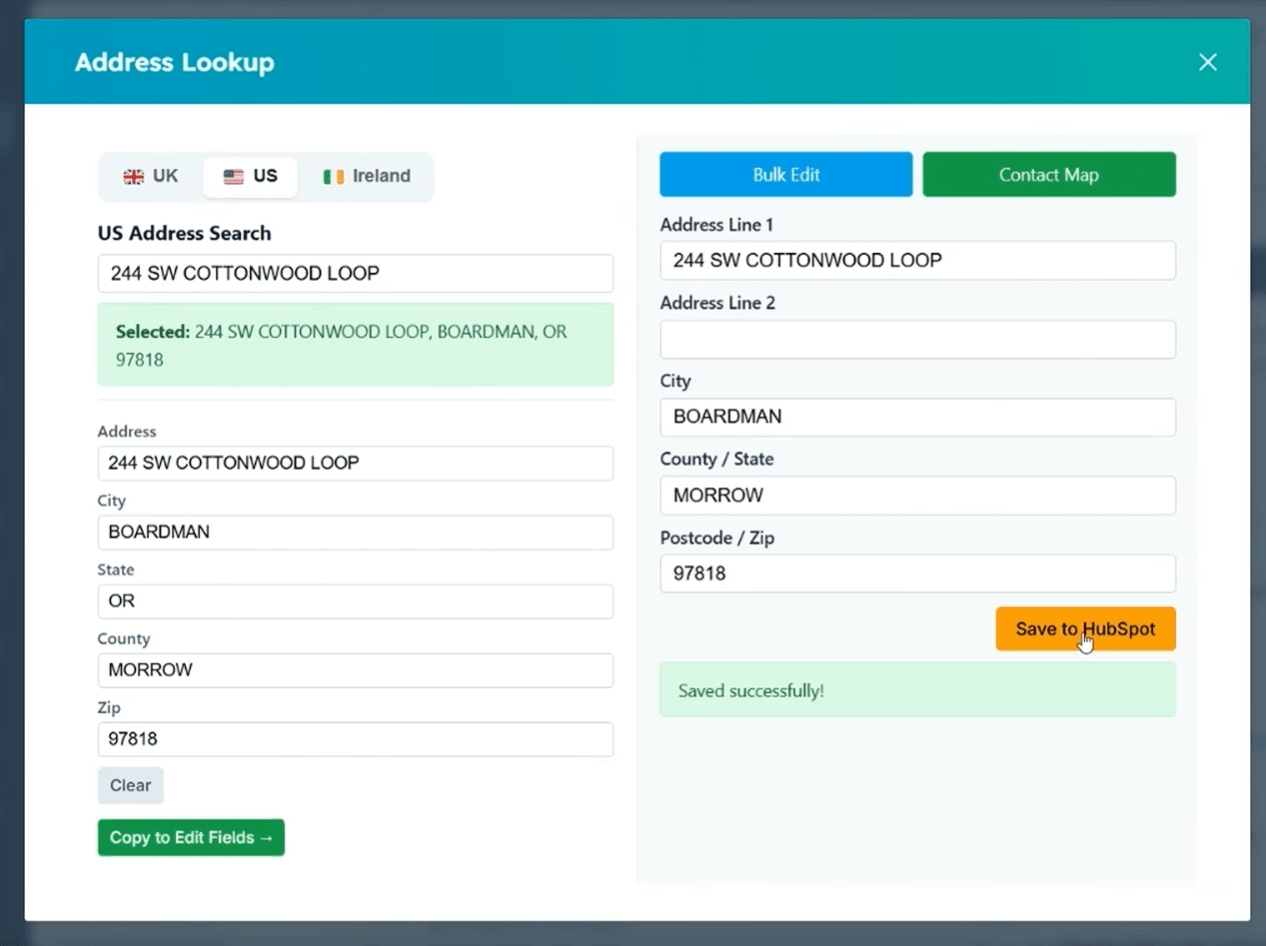
Search by postcode, ZIP code, Eircode, or start typing an address. Results appear instantly in a dropdown for quick selection.
One-Click Save
Selected address data is copied into editable fields. Review, adjust if needed, and save directly to the HubSpot record with one click.
Multi-Region
Switch between UK, US, and Ireland with a single tab click. No need for separate tools or apps for each country.
Contacts & Companies
Works on both Contact and Company records in HubSpot. The CRM card appears automatically on every record page.
Custom Field Mapping
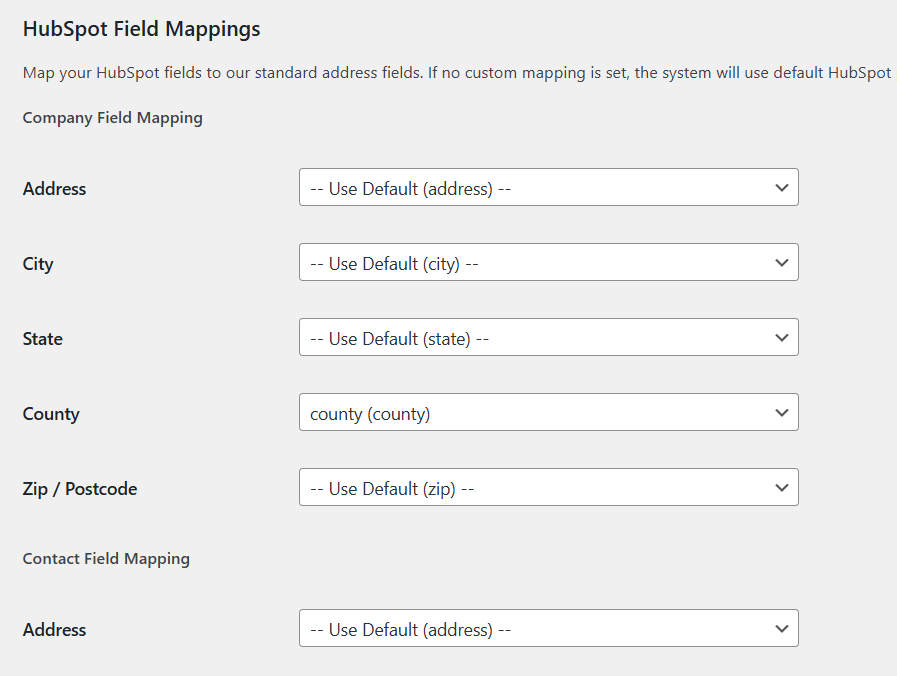
Map address, city, state, county, and ZIP to any HubSpot property. Different mappings for Contacts and Companies.
Seamless Install
Install from the HubSpot Marketplace with OAuth. Secure token-based authentication with automatic token refresh.
Find Any Address in Seconds
The address search opens as a clean modal inside HubSpot. Enter a postcode, ZIP, Eircode, or start typing an address to get instant results.
- UK: Postcode lookup with Royal Mail PAF data
- US: Real-time address autocomplete across all 50 states
- Ireland: Full Eircode coverage for all Irish addresses
- Region preference saved to localStorage
Bulk Address Validation
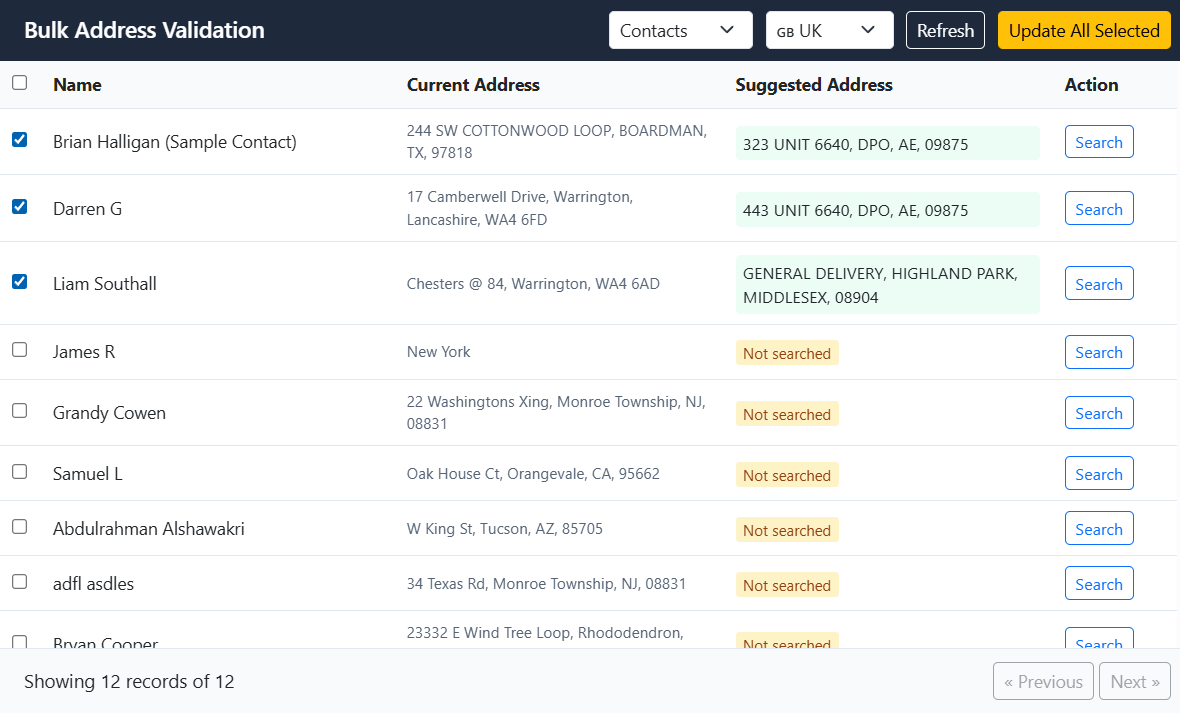
Review and update your entire CRM database in one session. The bulk editor loads a paginated table of all your contacts or companies, with inline address search for each row.
- Paginated table with 100 records per page
- Per-row search modal with multi-region support
- Select rows and batch update with one click
- Respects your custom field mappings
Interactive Contact Map
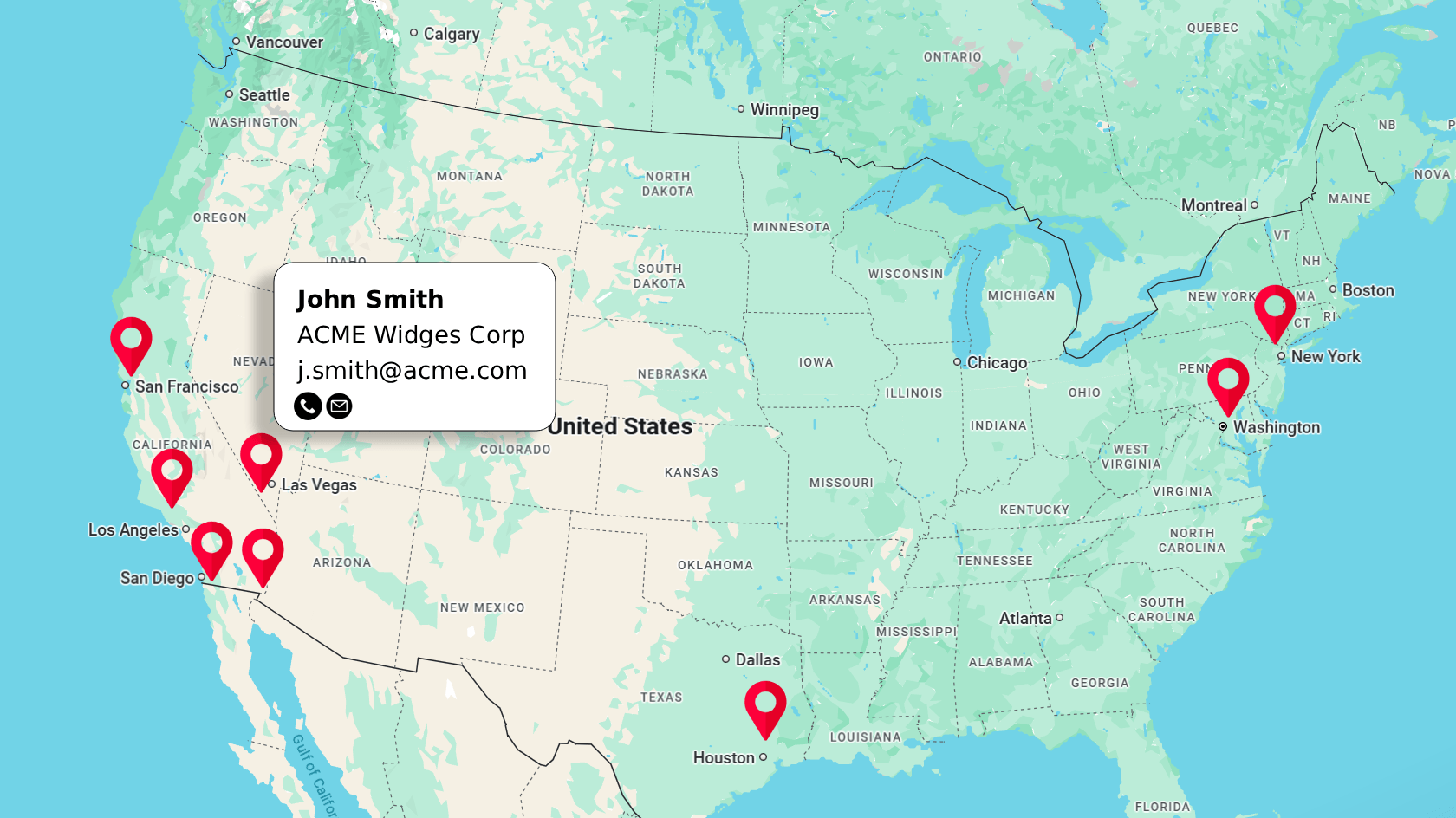
See your contacts and companies plotted on a full-screen Google Map. Understand geographic distribution and plan field visits.
- Progressive sync from HubSpot (handles thousands of records)
- Automatic geocoding of UK postcodes, US ZIPs, and Eircodes
- Marker clustering for clean visualisation
- Click any marker for contact details
Custom Field Mapping
Every HubSpot portal is different. Map GetAddress fields to any HubSpot property so address data lands exactly where your team needs it.
- Map 5 standard fields: Address, City, State, County, ZIP
- Separate mappings for Contacts and Companies
- Dropdowns populated from your actual HubSpot properties
- Applied to single saves, bulk updates, and map sync